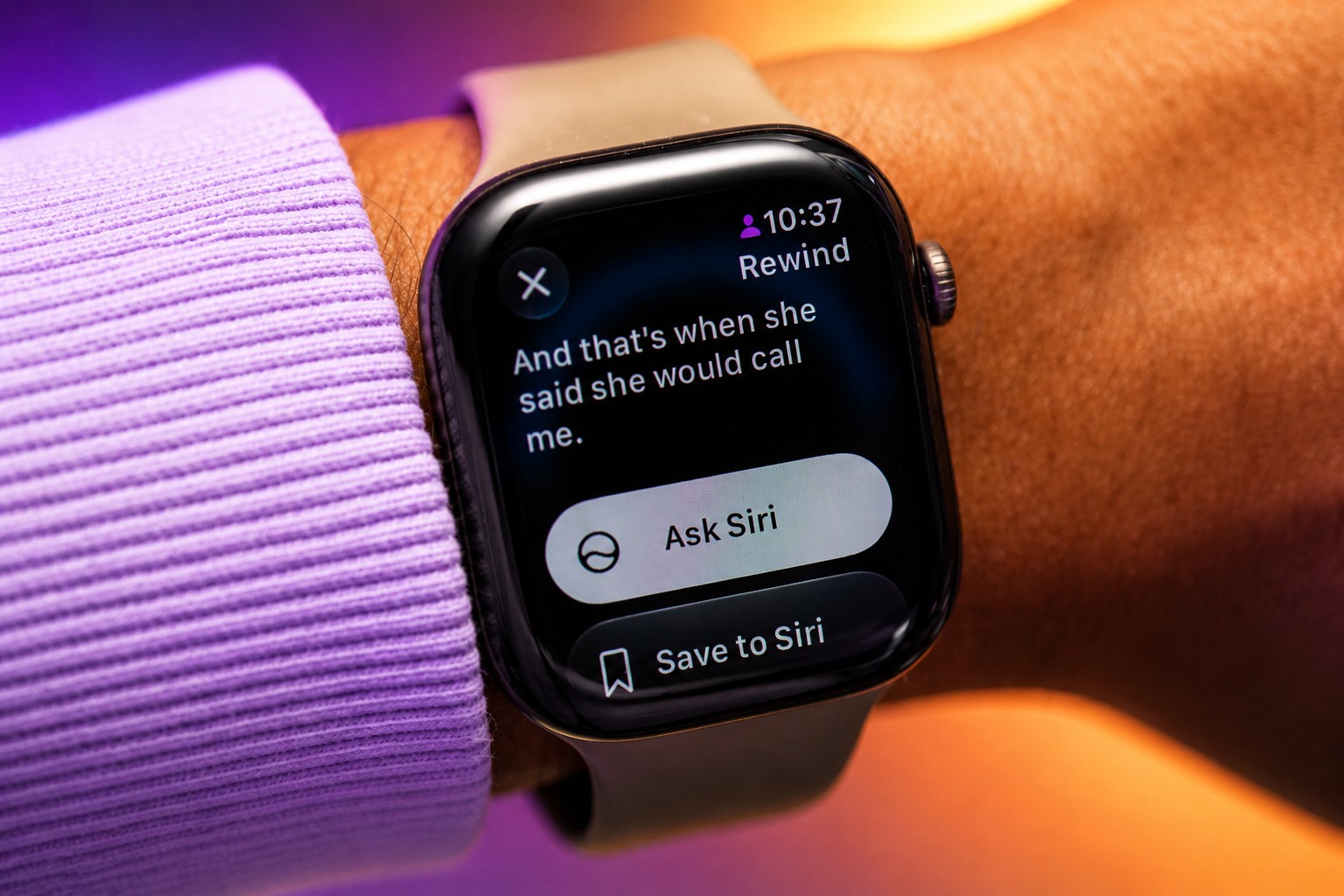
Apple has added two Audio Intelligence features to its new Apple Watches: Live Rewind shows a transcript of the last 15 seconds of a conversation, while Siri Recap saves a brief summary and key details. They are available in the public beta of watchOS 27.3 and are expected to launch officially by the end of the year. A WIRED writer tested both features and found that they can help recover something missed, but turning on Live Rewind in front of someone feels awkward, while Siri Recap sometimes records videos and other content the user watches.
How Live Rewind and Siri Recap work
Live Rewind starts on Apple Watch with a double press of the Digital Crown: the feature rewinds the conversation by 15 seconds and displays the transcript on screen. The writer tried it in a car after missing the start of his wife’s story about an expensive utility bill. He showed her the transcript, but she asked why he hadn’t simply asked her to repeat herself. A few days later, he used the feature during a conversation with his brother and acknowledged in advance that he could have asked him to repeat what he said.
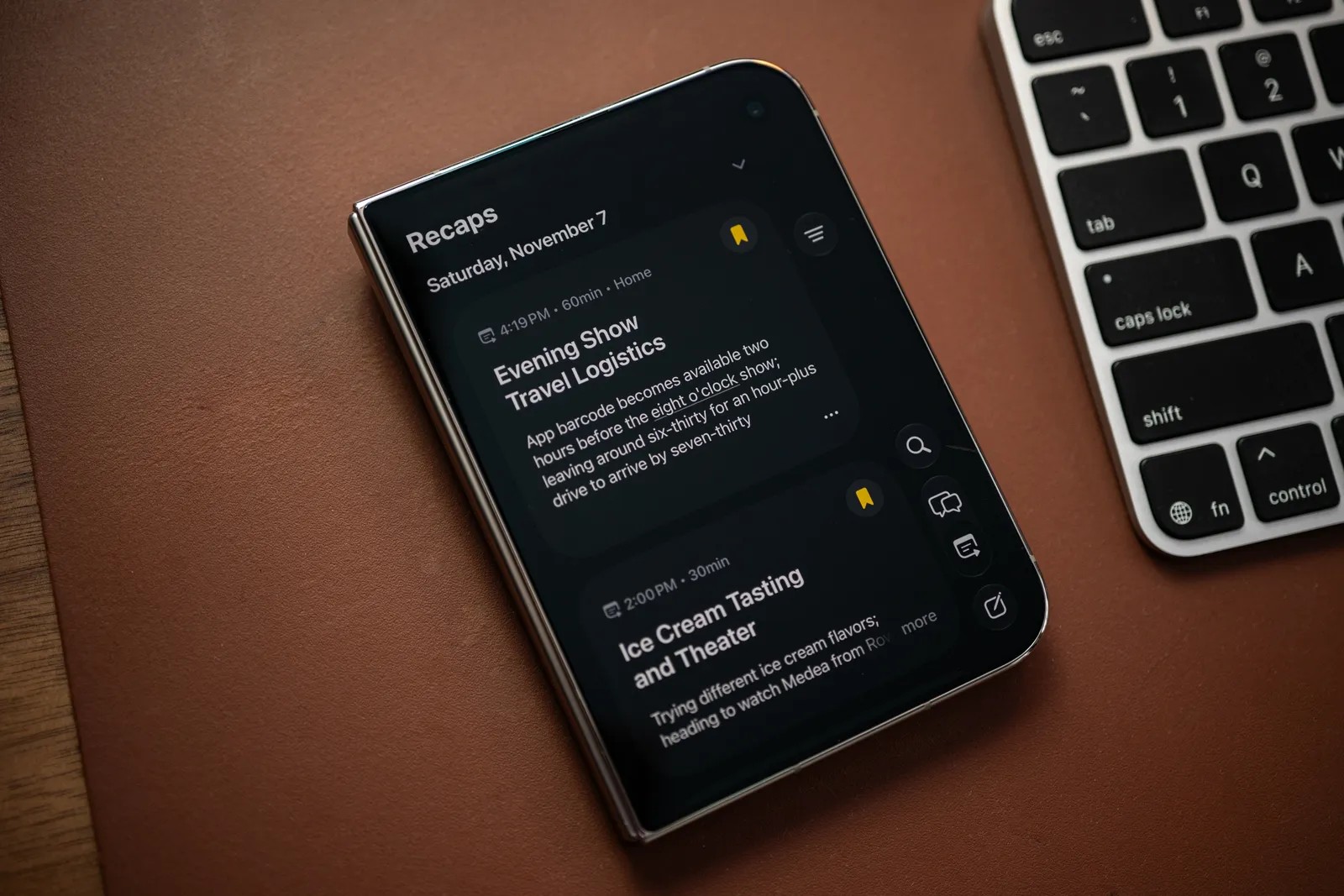
Siri Recap works differently: with the user’s permission, Siri listens to the surroundings and shows brief summaries of conversations and key details in an app at the end of the day. It can be set to run on a schedule or based on location — for example, when the user arrives at the office. The feature can also be switched on and off manually in Apple Watch Control Center. In how it works, it resembles AI note-taking services, many of which use separate devices.
Both features run on Apple Watch, a device worn throughout the day to track activity and health and check notifications. But being ready at all times to record nearby conversations raises privacy concerns for passersby and people who have not consented.
Rim Suleyman, senior campaigns director at digital rights nonprofit Fight for the Future, told WIRED that people nearby do not know exactly what the watch is recording. The device owner’s consent to use the feature does not mean the people around them have consented too.
Limitations and safeguards
Apple emphasizes that the features must be enabled manually and are available only on Apple Watch Series 12 and Apple Watch Ultra 4. They also require an iPhone 16 or later, iOS 27 and Apple Intelligence. The features are unavailable to users under 18 and currently work only in English.
With Live Rewind, audio is processed on the device and cannot be reviewed. When the feature starts, the watch emits a quiet tone to alert people nearby. The text disappears unless the user saves it in Siri.
Siri Recap does not identify speakers, sticks to factual information and excludes data the system considers sensitive. Unsaved summaries are automatically deleted after seven days. Apple processes the data with Private Cloud Compute; the company says it is not stored or logged on its servers. Siri app data is protected with end-to-end encryption when synced with iCloud.
Where the features help — and where they get in the way
During a week of testing, Live Rewind transcribed speech well in relatively quiet surroundings. With heavy background noise, the text quickly became a string of errors. Activating the feature right in front of someone is distracting: it is like taking out a phone in the middle of a conversation. Instead of keeping screens out of social interactions, the user adds another one.
The writer’s wife worried that a feature like this could interfere with the development of social skills: instead of asking someone to repeat what they said, a person turns to their watch. Still, Live Rewind can be useful, for example, when someone does not want to interrupt a group conversation. But the user has to remember the feature and turn it on in time, and the writer found 15 seconds too short an interval — he still missed part of the conversation.
Siri Recap proved more useful for work. During testing, the writer set it to record summaries throughout the day, but noted that it can also be scheduled or switched on at a particular location. Despite Recap running continuously, he saw no noticeable drop in battery life: after a day and a half, his Apple Watch Series 12 could still be put on charge.
Source: wired.com
However, Siri also recorded content the writer watched, such as videos on YouTube and Instagram. The app showed summaries of episodes he did not remember as conversations. A similar problem has affected AI note-taking devices, including the wearable Bee AI device owned by Amazon: the company said it was working on recognizing active conversation. The device’s latest version added a feature that does not record a conversation if it fails to recognize the owner’s voice within a set time. Until Apple solves this problem, summaries can be edited or deleted.
Once, the writer forgot to record an interview despite taking notes and could not remember one of the details. Siri Recap helped him find it in the summary. But the feature is not designed to produce detailed meeting notes and task lists; it only helps refresh the user’s memory. For more detailed recordings, the writer suggests using a third-party device.
Recap seemed less useful to him in personal conversations. For example, it saved a friend’s story about woodworking: in winter, he could not use oil-based polyurethane because the finish stayed tacky. Siri captured the detail, but when the writer reviewed the summary, he did not find it useful or interesting.
Dataist's take: Apple has managed to combine conversation recording with on-device data processing without noticeably reducing the watch’s battery life. But technical safeguards do not resolve the question of consent from people nearby, and in practice Live Rewind can distract from a conversation while Recap can capture media instead of conversations. For now, these features are better suited to recovering a specific detail someone missed than to continuously recording everyday life.
Daily AI news
Every day we pick what actually matters in AI and explain it plainly — no hype, no filler. Subscribe if you want to follow where the industry is going.
Only what matters — every day
Follow on X