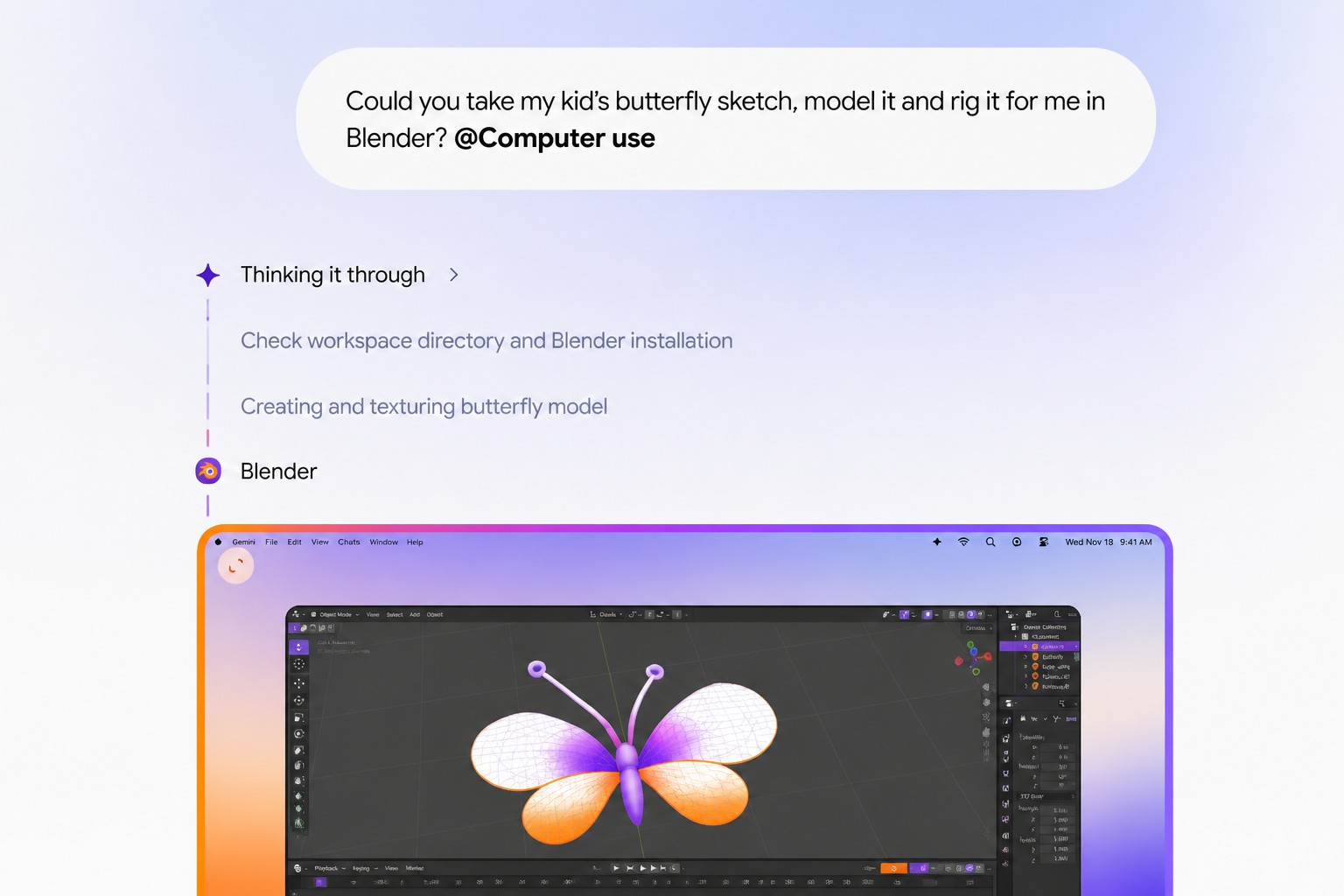
Google has added a computer-control feature to the Gemini app for macOS. The AI agent can navigate Mac apps and websites, carry out multi-step tasks with files, and show its progress in the chat window. The feature is available in English in the United States and requires the Gemini for Mac app and a Google AI Plus, Pro or Ultra subscription. Google has not said when it will launch in other countries or on other platforms.
Gemini can now handle tasks on your Mac
What Gemini can do on Mac
Computer control lets the AI agent take actions directly on a user's device. Given an instruction, Gemini can work with local files, apps and websites. A preview of the agent's actions appears in the chat, while the user can carry on with other work—the screen and cursor remain free.
Users can pause or stop Gemini, and can also approve actions before the agent carries them out.
Google gives several examples of how to use the feature:
Against the backdrop of other Gemini features
Google is launching computer control later than OpenAI, Anthropic and Meta: those companies have already offered agent features in their desktop apps for some time. This week, Google announced a broader rollout of Tasks in Gemini, a feature that helps the AI act as an agent: logging into websites, making purchases and booking appointments.
Google has also recently started inviting its first testers to try the updated AI agent CC. The company announced it in September; it is designed to help families coordinate their lives through email, calendars, chats and tasks.
Dataist's take: Gemini can now take actions in apps and on websites, but for now the feature is limited to English, the United States and Mac computers. Google has not said when it will expand availability; users can also still stop the agent and approve its actions.
Daily AI news
Every day we pick what actually matters in AI and explain it plainly — no hype, no filler. Subscribe if you want to follow where the industry is going.
Only what matters — every day
Follow on X