An asset needs more than a shape
A detailed CAD model is a starting point, not a simulation-ready object. A robot handling an item may need its mass, collision geometry and friction coefficient. An AI factory scene may need equipment geometry plus electrical or thermal properties.
SimReady Foundation defines requirements through specifications and profiles, and provides tools to validate models against them. A profile groups the properties needed for a particular use. Developers still need to choose assets with profiles that fit their task before assembling an OpenUSD scene.
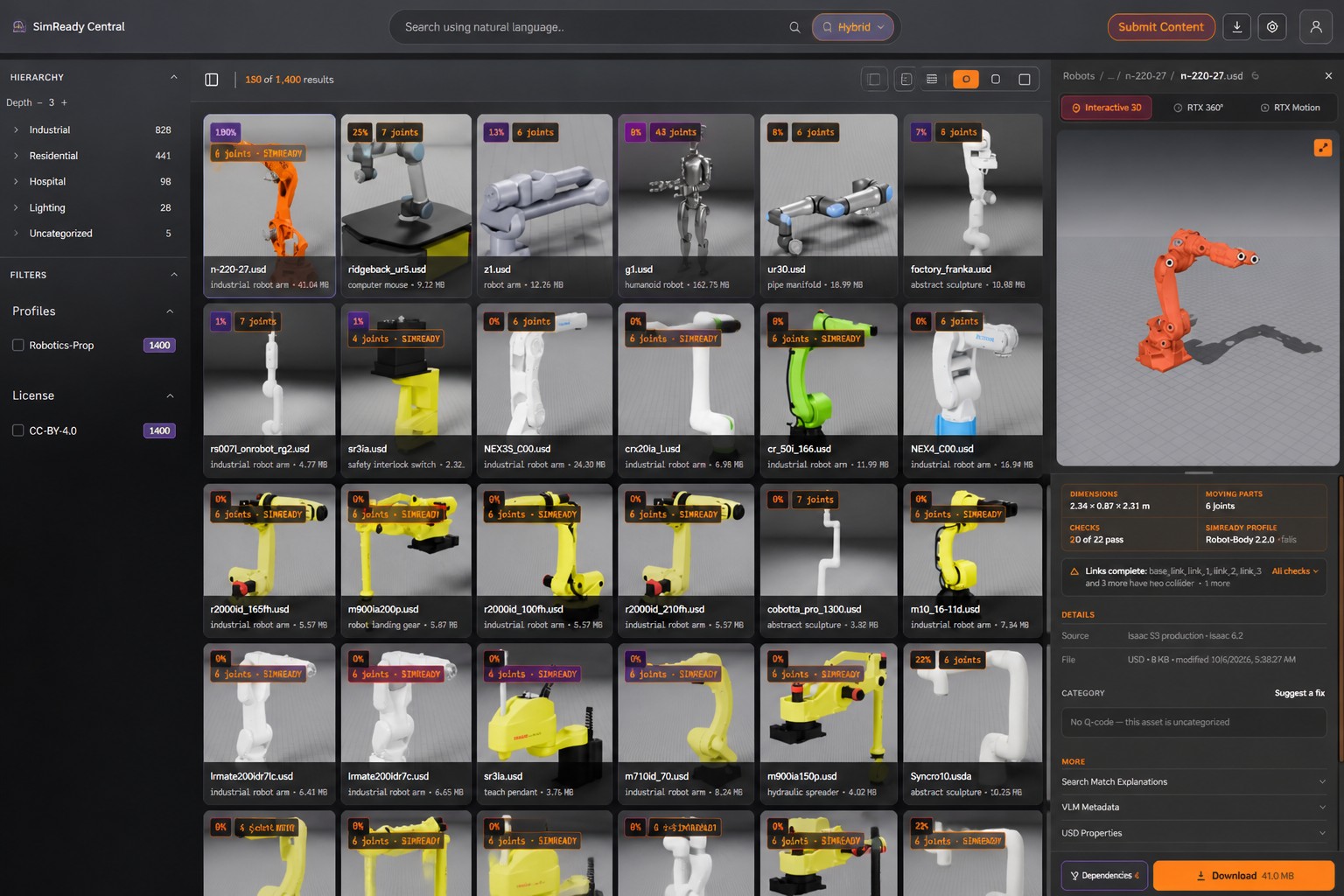
The library brings together models from several parts of the industrial ecosystem:
Manufacturers can use a SimReady Central submission skill to check assets against relevant profiles, prepare a package and submit it for publication.
From asset search to a test scene
SimReady Central is meant to supply building blocks for robot workcells, industrial environments and AI factory digital twins. NVIDIA USD Search lets developers and AI agents find assets using ordinary language. Hugging Face has also integrated USD Search into its platform search, where it uses indexed USD properties and simulation metadata.
For robot training, SimReady models can populate an environment with objects and obstacles whose positions can be changed to evaluate robot behavior. One possible use is work on projects such as Microduck, the open robot from Hugging Face and Pollen Robotics.
AI tools can also help assemble scenes. Developers could combine models such as OpenAI’s GPT-6 Astra with asset search and scene-building tools. Given task requirements and space constraints, Astra can select models, write scene-building code and prepare scenario variants. Manufacturers can use it to prepare or refine OpenUSD assets for SimReady Foundation requirements before validation and submission.
A warehouse pick-and-place workflow shows what that means in practice. The prompt asks Astra to find a FANUC arm, a compatible Robotiq gripper and warehouse assets on Hugging Face, then assemble a basic task in Isaac Sim using PhysX. It also asks for Python code, a .mov preview and the versions needed to reproduce the result.
Using SimReady assets from SimReady Central on Hugging Face, create a basic warehouse pick-and-place scenario in Isaac Sim using PhysX.
Use the nvidia-simready-central.hf.space to find a FANUC robotic arm, a compatible Robotiq gripper, and suitable warehouse assets. Generate the Python code to assemble the scene and configure the pick-and-place task. Render a .mov preview so I can review the results.
Include the scripts, asset versions, and runtime versions so I can reproduce the scenario.
Astra is expected to query the SimReady Search API, add the chosen assets to an OpenUSD scene, generate the workcell code, configure the task and render a preview.
A similar workflow could compare two AI factory layouts, placing racks and cooling equipment within supplied dimensions and aisle-clearance requirements. The scenes would be checked for overlaps and clearance violations, then saved as OpenUSD with scripts and version details so developers could reproduce and compare them.
The missing test is whether the assets hold up
The announcement describes a route from manufacturer models to searchable assets and assembled scenes. I think the more important question is what “ready” means once those assets meet a real task: the profiles specify required properties, but the announcement gives no results showing how well scenes built from the library support training or evaluation.
That gap matters because a searchable asset is not automatically a useful simulation asset. Developers can reuse OpenUSD layers, vary equipment and task configurations, and build application-specific tests in Isaac Lab or factory simulation tools. For AI factories, validated layouts can also be connected to BMS and IT telemetry to synchronize a digital twin with an operating facility. The library’s value will depend on how reliably those steps preserve the properties and constraints the profiles are meant to capture.
NVIDIA plans to add manufacturers and expand the range of models. Community feedback is intended to guide priorities, while manufacturers can submit assets through the supplier guide and developers can share examples or report issues to SimReady Foundation.
Getting started
Developers can search SimReady Central on Hugging Face, use its USD Search endpoint to describe assets in ordinary language, or explore the GitHub repository’s index and library skills to build a custom browser.
For scene building, NVIDIA points to free OpenUSD and physical AI courses, Isaac Sim and Isaac Lab, and an AI-agent-supported AI factory digital twin workflow. Manufacturers can consult the SimReady Foundation profiles, CAD-to-SimReady conversion skills and the SimReady Central submission skill to prepare and validate models.
Daily AI news
Every day we pick what actually matters in AI and explain it plainly — no hype, no filler. Subscribe if you want to follow where the industry is going.
Only what matters — every day
Follow on X